Frequently Asked Questions
Why are dental practices frequently targeted by cybercriminals?
Dental practices manage a combination of protected health information (PHI), financial records, insurance data, and employee login credentials. They also rely on cloud-based systems like Microsoft 365 and practice management software to keep appointments, patient records, and daily operations running smoothly. Because those systems contain valuable information and are essential to patient care, dental practices are common targets for phishing attacks, ransomware, and credential theft.
Is Multi-Factor Authentication (MFA) really necessary if we use strong passwords?
Yes. Strong passwords are an important first step, but they can't protect your practice if they're stolen in a data breach or through a phishing email. Multi-Factor Authentication (MFA) adds a second layer of security by requiring an additional verification step before someone can log in. For most dental practices, it's one of the simplest and most effective ways to improve password security and reduce the risk of unauthorized access.
Should every employee have their own username and password?
Absolutely. Every employee should have their own unique login credentials rather than sharing accounts. Individual accounts improve security, create accountability, and make it much easier to remove access when an employee leaves the practice. They also help support HIPAA compliance by providing a clear record of who accessed patient information and when.
Can a password manager really make security easier?
Yes. Password managers generate strong, unique passwords for every account and securely store them, so employees don't have to remember dozens of complex logins. That makes it much less likely that someone will reuse the same password across multiple websites, which is one of the most common ways cybercriminals gain access to business systems. For many dental practices, a password manager improves both security and day-to-day efficiency.
What is the best way to improve password security in a dental practice?
The most effective approach combines several layers of protection rather than relying on passwords alone. Unique passwords, a password manager, Multi-Factor Authentication, employee cybersecurity training, and proactive monitoring all work together to reduce risk. When combined with ongoing Managed IT Services and Dental IT Support, these safeguards help protect patient information while keeping your practice productive and secure.
Your Password Is the Key Under the Doormat: Why Dental Practices Need to Take Password Security Seriously
Imagine arriving at your dental practice on a Monday morning in Wilmington, NC. The schedule is full, patients are already checking in, and your team is preparing for another busy day. Then someone discovers they can't log into Microsoft 365. Your practice management software starts acting strangely, patient records become unavailable, and within minutes the entire office has shifted from caring for patients to trying to figure out what went wrong.
It sounds like something that would require a sophisticated hacker, but many cybersecurity incidents begin with something far more ordinary: a stolen password.
The reality is that most attacks against dental practices don't start with criminals breaking through complex security systems. They begin when a password has been stolen, reused, or exposed during a data breach at another company. Using unique passwords, Multi-Factor Authentication (MFA), and a password manager can dramatically reduce the risk of unauthorized access while protecting patient care, productivity, and the reputation you've worked hard to build.
The Real Problem Isn't Weak Passwords
Many dental practice owners assume cybercriminals rely on highly advanced hacking techniques to gain access to business systems. While those attacks certainly exist, a surprising number begin somewhere much less dramatic.
Employees often reuse the same password across everyday websites like online retailers, streaming services, food delivery apps, or shopping sites. When one of those companies experiences a data breach, usernames and passwords are frequently sold on criminal marketplaces. Attackers then use automated tools to test those same login credentials against hundreds of business systems in a process known as credential stuffing.
For a dental practice, that can include accounts such as:
- Microsoft 365
- Practice management software
- Cloud storage
- Payroll systems
- Banking portals
- Patient communication platforms
If just one employee reused a password that was exposed elsewhere, a cybercriminal may suddenly have access to systems that support your entire practice. One compromised password can quickly become the master key to your business.
Why Password Security Matters in a Dental Practice
Technology doesn't simply support your office. It supports every interaction your patients have with your practice.
From the moment a patient schedules an appointment until they check out, your team depends on reliable access to technology. Appointment scheduling, patient records, digital X-rays, treatment plans, payment processing, insurance claims, and HIPAA-protected information all rely on secure, accessible systems.
When attackers gain access to even one account, the impact extends well beyond your computers. Appointments may need to be rescheduled, employees lose valuable time working around the disruption, and patients can quickly lose confidence when their visit doesn't go as expected. Revenue is interrupted, but so is the trust your practice has spent years building.
For dental practices throughout Wilmington, NC, patient relationships are built on consistency and confidence. A cybersecurity incident doesn't just create technical problems. It interrupts the experience patients expect every time they walk through your doors.
That's why password security isn't simply an IT concern. It's part of protecting your patients, your team, and the reputation of your practice.
Password Reuse Is More Common Than People Realize
Think about carrying a single key that opens your home, your office, your car, and your safety deposit box. If someone copied that one key, everything you value would suddenly be at risk.
Reusing passwords works much the same way.
Most employees aren't ignoring security policies on purpose. They're simply trying to remember dozens of passwords while staying focused on patient care. Reusing the same password feels convenient, especially during a busy workday.
Unfortunately, convenience is exactly what cybercriminals count on.
One of the most overlooked risks in any business is that password reuse slowly becomes normal. Employees develop habits that make their jobs easier without realizing they're also creating unnecessary risk. Over time, one exposed password can provide access to multiple systems, turning what seemed like a harmless shortcut into a problem that affects the entire practice.
Strong Passwords Alone Are No Longer Enough
A long password is certainly better than a short one. But today's attackers aren't sitting behind a keyboard making random guesses. They're using automated tools capable of testing billions of password combinations or, more commonly, trying passwords that have already been stolen during previous data breaches.
That means even a strong password can become a liability if it's reused somewhere else.
This is why modern cybersecurity relies on multiple layers of protection instead of passwords alone.
How to Better Protect Your Dental Practice
The good news is that improving password security doesn't have to be complicated.
Use a Password Manager
A password manager creates strong, unique passwords for every account and stores them securely. Your team no longer has to memorize dozens of passwords, and every system receives its own unique credentials.
If one account is compromised, the others remain protected.
Earney IT helps practices implement secure password management solutions that reduce risk while making everyday logins easier.
Enable Multi-Factor Authentication (MFA)
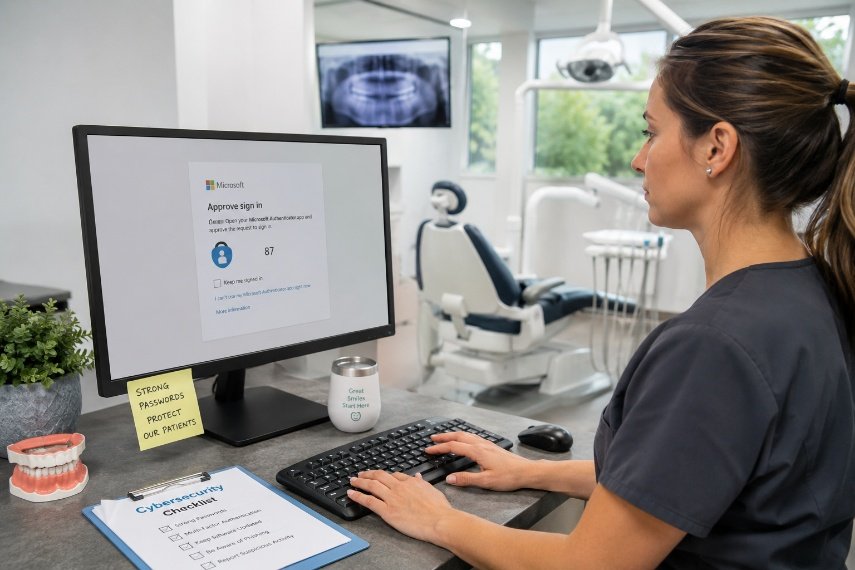
Think of Multi-Factor Authentication as adding a deadbolt to your front door. Even if someone steals a password, they still need a second form of verification before gaining access.
That single additional step blocks the overwhelming majority of account takeover attempts and provides important protection for Microsoft 365, email, and other cloud applications.
Review User Access Regularly
As employees come and go, review who still has access and remove former employee accounts promptly. While you're at it, also review administrator privileges. Confirm outside vendors only have access to the systems they truly need. Small oversights often become major security problems over time.
Train Employees to Recognize Threats
Technology alone isn't enough. Employees remain one of the most important parts of your security strategy. Regular security awareness training and phishing simulation testing help your team recognize suspicious emails before they become expensive mistakes.
Password Security Is Only One Part of a Strong Cybersecurity Strategy
Creating strong, unique passwords is one of the simplest ways to reduce cyber risk, but it shouldn't be your only line of defense. No matter how careful your team is, people are human. Passwords get forgotten, links get clicked, and mistakes happen. A strong cybersecurity strategy recognizes that reality and builds multiple layers of protection around your practice.
For dental practices, that means combining good password habits with other security tools that work together to reduce risk before it affects patient care or daily operations. A layered approach to dental cybersecurity helps protect your business even when an employee makes an honest mistake.
That strategy often includes:
- AI-powered email filtering that blocks phishing emails before they ever reach your team.
- Endpoint Detection and Response (EDR) that monitors devices for suspicious activity and can stop ransomware before it spreads.
- Cloud-to-cloud backup services that protect your Microsoft 365 data if files are deleted, encrypted, or accidentally lost.
- Dark Web Monitoring that alerts you if employee credentials appear in a known data breach so action can be taken before criminals attempt to use them.
The most effective cybersecurity strategies aren't built on the assumption that people will never make mistakes. They're built around the understanding that mistakes are inevitable, which is why multiple layers of protection matter. Whether someone reuses a password, clicks a suspicious email, forgets to update an account, or loses a company device, those additional safeguards can prevent a simple error from becoming a business interruption.
One of the easiest improvements many dental practices can make is using a password manager to create and securely store unique passwords for every account. Instead of asking employees to remember dozens of complex passwords, a password manager makes strong password security easier to maintain every day while significantly reducing the temptation to reuse passwords.
A Technology Partner That Takes Ownership
At Earney IT, we've been providing IT services to dental practices throughout southeastern North Carolina for more than 25 years. In fact, our very first client was a dental practice, giving us decades of experience supporting the unique technology that keeps dental offices running efficiently.
We understand that your technology touches nearly every part of the patient experience. From appointment scheduling and digital imaging to treatment planning, insurance claims, collections, and patient communication, reliable systems allow your team to stay focused on delivering excellent care instead of troubleshooting technology.
That's why our IT support approach goes beyond recommending stronger passwords. We help practices implement password managers, Multi-Factor Authentication, employee cybersecurity training, and layered security solutions that work together to protect your business. We also provide proactive maintenance that helps identify and resolve technology issues before they interrupt your practice, giving your team the confidence that their technology is supporting patient care instead of slowing it down.
When your technology is secure and well managed, your team can spend less time worrying about IT and more time providing the level of patient care your community expects.
Protect Your Dental Practice Before Passwords Become a Problem
Most password-related security incidents can be prevented with the right combination of technology, employee education, and proactive planning. The earlier those protections are put in place, the less likely a single compromised password will disrupt your practice.
If you're wondering whether your Wilmington, NC dental practice has the right safeguards in place, Earney IT is here to help. We'll review your current environment, identify security gaps, and recommend practical improvements that fit the way your practice operates.
If you're ready to strengthen your password security and reduce cyber risk, schedule a Free IT Risk Assessment. We'll help you identify vulnerabilities, improve your cybersecurity strategy, and build a technology plan built around strong monthly managed IT support that will keep your practice running without interruption.